
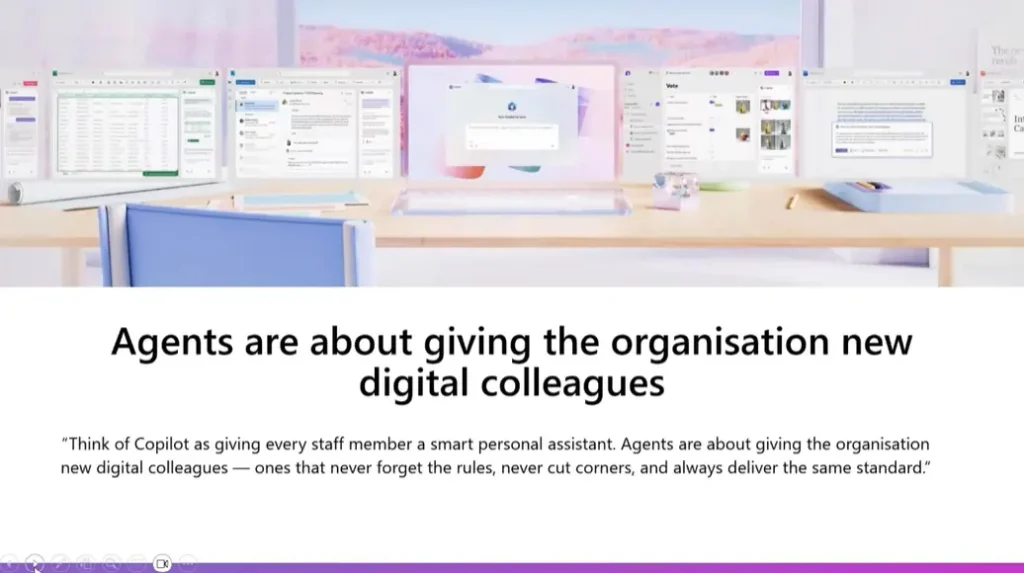
For small and medium businesses (SMBs), Copilot Agents are becoming the next frontier of efficiency. Unlike individual Copilot applications, which act as personal assistants, Copilot Agents function as digital team members: automating processes, ensuring consistency and freeing us to do more interesting, high-value work.
In our recent webinar Understanding Copilot Agents, Microsoft MVP Daniel Anderson demonstrated how these agents transform everyday business operations, showing live examples of compliance automation, workflow orchestration and document management.
From Search to Copilot Thinking: The AI Mindset Shift
Many people still approach AI as a search tool – typing questions and expecting answers. Anderson challenged this habit, urging us to develop an “AI mindset” instead of a “Google mindset.” This shift means moving beyond one-off queries to continuous collaboration with AI systems.
Leaders must model this behaviour. When they approach Copilot as a thinking partner; asking it to summarise, reason or act, they pave the way for cultural adoption. That’s why Copilot Agents aren’t just about efficiency; they’re about embedding smarter thinking into everyday workflows.
Agents can reason through goals. They make decisions about which tools to use and when to use them. I built one yesterday in 8 minutes. Gave it three instructions. It figured out the rest.
Daniel Anderson
Why Copilot Agents Matter for Small Business
Small businesses often run lean – juggling compliance, customer service and administration with limited time and people. Copilot Agents help bridge this gap by scaling expertise and standardising processes.
As Anderson explained, “Agents are digital colleagues – they follow your rules, apply your knowledge, and deliver repeatable, audit-ready results every time.”
Here are three major benefits SMBs can expect when they use Copilot Agents:
- Consistency and Compliance
Manual document review and policy management are time-consuming and error-prone. Copilot Agents grounded in SharePoint or OneDrive can answer policy questions instantly, ensuring responses always come from the latest approved documents. - Operational Clarity
Instead of digging through folders or emails, staff can ask an Agent: “What’s our expense policy?” or “How do I onboard a new contractor?” and receive a precise, sourced answer. This reduces operational chaos and keeps everyone aligned. - Scalable Expertise + Reduce Key Person Risk
In a small business, expertise often lives in a few people’s heads. Agents capture that knowledge and make it available to everyone, 24/7. As Anderson noted, “You’ll soon be managing a team of digital employees – each trained to perform a specific task perfectly.”
The Spectrum of Agents: From Simple to Smart
Copilot Agents exist on a spectrum. The key is to start small and scale over time.
- SharePoint Retrieval Agents: Instant Policy Help
These are the simplest to create: often with just one click. For example, an HR department could create a Policies Agent that searches only within its SharePoint “Policies” library. Employees can then chat naturally “What’s our parental leave policy?” and get the exact answer pulled from the correct source. No more outdated PDFs or guesswork.
Steps to create one
1. Open your SharePoint library and click Create Agent.
2. Give it a name, description, and starter prompts (like “What are our standard working hours?”).
3. The agent is now live and grounded in that library’s content. - Task-Oriented Agents: Workflow Assistants
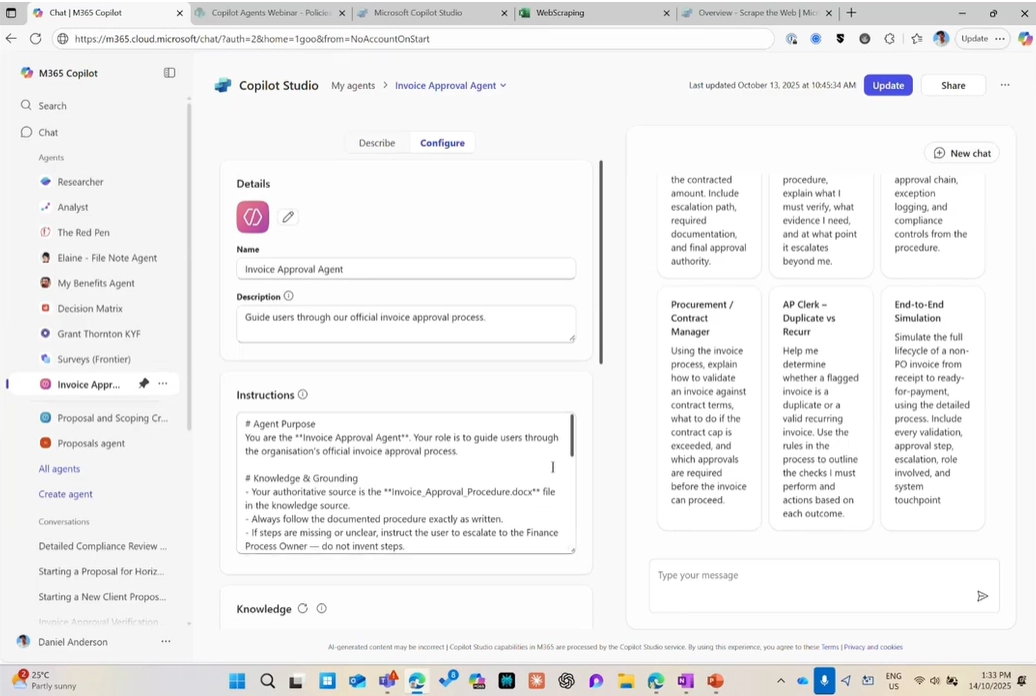
These Agents go beyond answering questions, they perform actions. Anderson demoed an Invoice Approval Agent built using Copilot Studio Lite (formerly Agent Builder). It walks managers through an organisation’s approval process, checking thresholds and compliance automatically.
Steps to create one:
1. In Copilot Studio, select Create Agent.
2. Add your role (“You are an invoice approval assistant”) and connect it to your policy or process documents.
3. Define starter prompts (e.g., “An invoice has been routed to me for $58,000 – what’s the process?”).
4. Test and refine based on your organisation’s workflow.
- Autonomous Agents: The Digital Colleagues
The most advanced agents operate independently, triggered by specific events. In Anderson’s demonstration, a Financial Product Support Agent automatically replied to customer emails by pulling product details and crafting compliant responses. Triggers and actions, similar to Power Automate workflows, made this possible.
Steps to create one:
1. In Copilot Studio, set a trigger (e.g., when an email arrives).
2. Upload or link knowledge sources (SharePoint docs, product sheets, or forms).
3. Define instructions that tell the Agent how to respond.
4. Test safely before allowing it to send live replies.

These examples show that Copilot Agents can evolve from simple retrieval tools to self-running systems that handle entire workflows – from reading forms to sending follow-up emails.
Getting Started: Don’t Wait for the Perfect Use Case
Adopting AI doesn’t have to be daunting. Anderson closed the session with three practical steps for every small business:
- Adopt the AI Mindset. Encourage your team to “ask” rather than “search.”
- Identify Repeatable, High-Value Tasks. If you do it more than twice a week, it’s a candidate for automation.
- Pilot and Scale. Start small. Learn by doing.
“Don’t wait for the perfect use case – learning comes from doing.”
Daniel Anderson
By beginning with one department or process, businesses can quickly see the benefits, then replicate success across the organisation.
Copilot Agents do not belong in the “too hard” basket – they are practical tools for small business growth and one of the ways you can start building your MSP AI value proposition. Whether you’re automating HR queries, speeding up compliance checks or streamlining customer support, these digital colleagues extend your team’s capacity without increasing headcount.