


AI adoption is happening whether you are ready or not.
Across Australia and New Zealand, SMBs are already experimenting with Microsoft Copilot to draft emails, summarise meetings and analyse documents. They’re not waiting for an IT strategy or formal rollout, they are simply using the tools available to them.
That creates a new challenge for Managed Service Providers, not because Copilot introduces new security vulnerabilities, but because AI makes existing data exposure dramatically easier to uncover. If users already have existing permissions for sensitive SharePoint libraries, confidential HR documents or financial reports but don’t know it, Copilot can surface that information.
"The biggest risk with Copilot isn't AI. It's the permissions you've forgotten about."
Robert Crane
For MSPs, AI readiness isn’t about slowing adoption and being the “Department of No”. It’s about helping customers adopt AI safely from day one. The good news is that for clients using Microsoft 365 Business Premium, much of the security foundation is already included.
What security configuration should be checked before enabling Microsoft Copilot?
Before enabling Microsoft 365 Copilot, fix oversharing: audit SharePoint, OneDrive and Teams permissions using SharePoint Advanced Management; use Restricted Content Discovery for sensitive sites. Deploy Purview sensitivity labels, DLP and audit logging. Enforce MFA and Conditional Access, review guest access, set Copilot web and agent policies, then pilot before rollout.
We don’t need expensive licencing or complex projects before we can safely deploy Copilot: many SMBs already have access to many of the tools required to reduce AI risk through Microsoft 365 Business Premium.
“AI readiness starts with security hygiene, not new technology.” – Robert Crane
Rather than investing in more licencing or long and involved consulting projects, MSPs can package these native capabilities into a simple, repeatable AI Readiness Assessment that helps customers understand their exposure, implement best practices and adopt Copilot with confidence.
A simple framework for AI readiness
Copilot pre-rollout checklist:
- Assess AI readiness
- Lock down identity
- Identify overshared data
- Secure sensitive information
- Protect business-critical data
- Monitor and optimise.
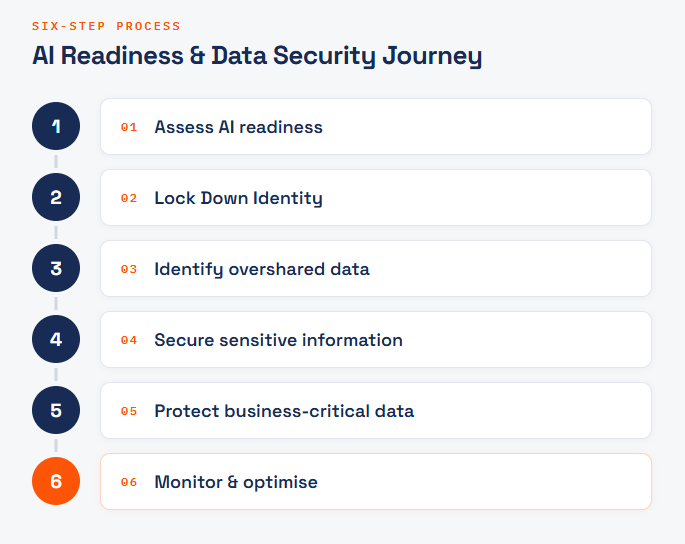
Instead of approaching AI security as a collection of technical features, MSPs can follow a structured framework that delivers tangible business outcomes.
- Assess AI readiness
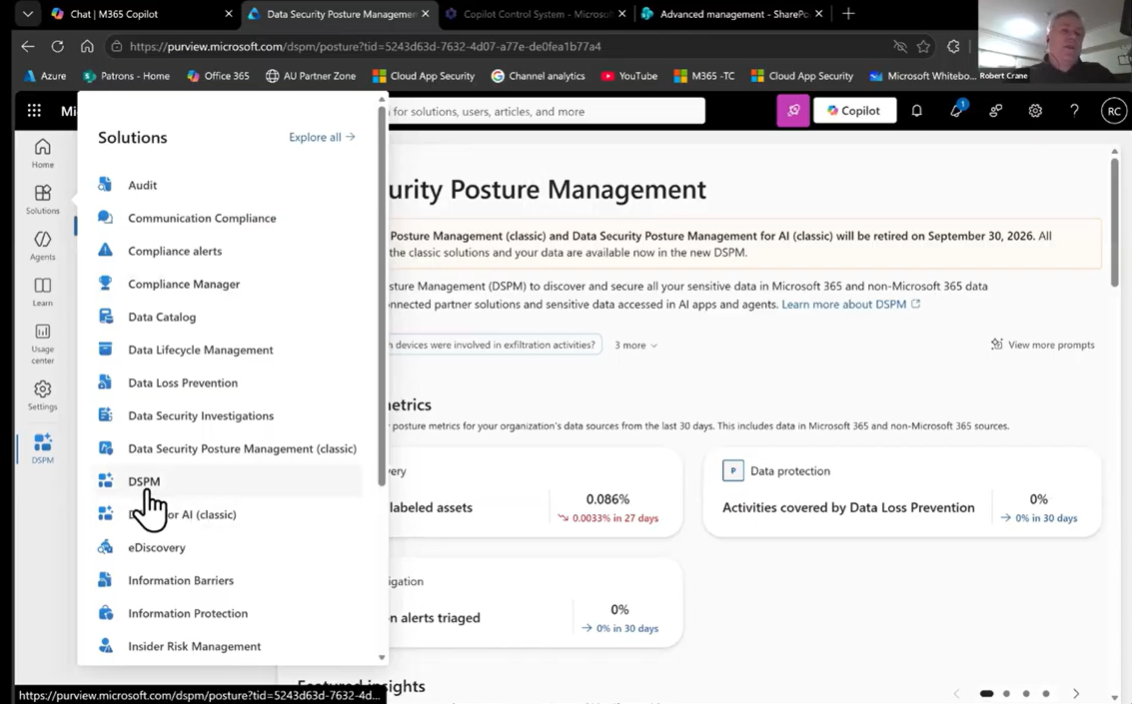
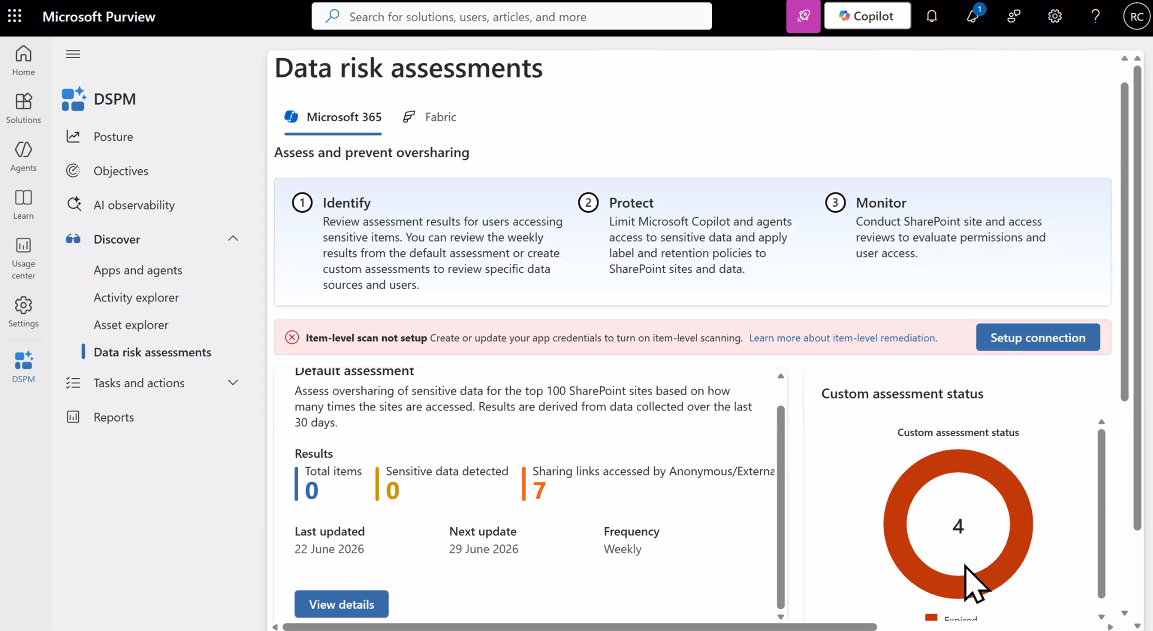
Before enabling Copilot, understand what AI can already access within the Microsoft 365 environment. Microsoft Purview Data Security Posture Management (DSPM) is available withing Business Premium and provides visibility into:
- Overshared files
- Sensitive information
- External sharing
- AI-related security recommendations
- Areas requiring remediation
Rather than overwhelming customers with technical reports, DSPM gives us an actionable assessment we can use to guide remediation and demonstrate immediate value.
2. Lock Down Identity
Ensure baseline MFA enforced for all Copilot-licensed users, with no exclusions beyond break-glass accounts. Use phishing-resistant MFA (FIDO2 keys, Windows Hello for Business, passkeys or certificate-based auth) for admins, executives and anyone with broad data access, since Copilot makes a compromised account far more efficient to exploit.
Prioritise four Conditional Access policies for Copilot as well as MFA: block legacy authentication; require compliant or hybrid-joined devices; enforce Intune app protection on mobile; and block high-risk sign-ins and users. Run each in report-only mode first, and ensure SharePoint and Exchange policies have no gaps.
3. Identify overshared data
Microsoft Search allows MSPs to quickly demonstrate what client employees can already find inside their organisation. If sensitive information appears in Search, Copilot will likely have access to it too.
Often your customer won’t have identified what they consider to be sensitive data, and this is a conversation you will need to have. In future you may need to think about re-structuring their data for improved security and better results.
Tip: One Copilot licence unlocks additional assessment capabilities
Once a customer has at least one paid Microsoft 365 Copilot licence, SharePoint Advanced Management becomes available in the SharePoint Admin Centre. It includes a "Prepare for Copilot" assessment that scans the tenant for overshared sites, inactive sites, missing site owners and broken permissions.
4. Secure sensitive information
Once oversharing has been identified, organisations can begin reducing unnecessary access. This includes reviewing:
- SharePoint permissions
- OneDrive sharing
- Mailbox access
- Legacy folders
- Outdated documents
- Duplicate content
The goal is to ensure employees only have access to the information they need, improving both security and the quality of AI-generated responses.
Protect business-critical data
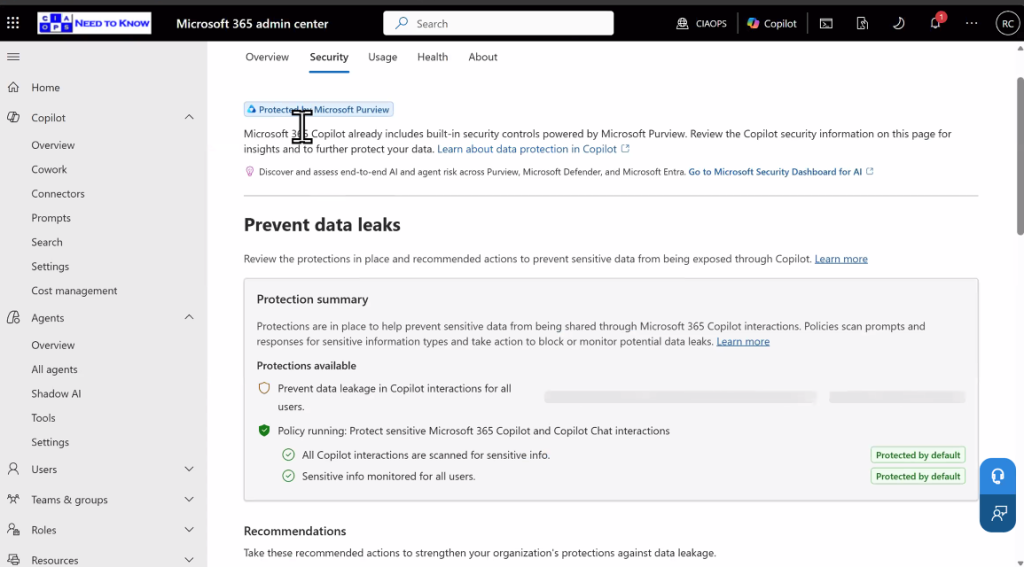
After identifying sensitive information, Microsoft Purview can be used to apply Sensitivity Labels, Data Loss Prevention policies and Information Protection policies. These controls help prevent confidential information from being accidentally shared, while ensuring Copilot operates within clearly defined governance boundaries.
The top five Purview controls for Copilot:
- Sensitivity labels with encryption on highly confidential content; withhold EXTRACT rights so Copilot can’t use it
- Auto-labelling for sensitive information types such as TFNs, Medicare and credit card numbers, catching unlabelled legacy content
- A standalone Copilot DLP policy blocking processing of Highly Confidential content
- DLP rules blocking sensitive data in prompts, tested in simulation before enforcement
- Audit and retention policies for Copilot interactions, supporting eDiscovery and security investigations
6. Monitor and optimise
AI readiness isn’t a one-off project: as organisations create new content, collaborate differently and expand their use of Copilot, security settings should continue to evolve.
- Confirm auditing is on and review Copilot activity monthly in Purview
- Smaller businesses can use Defender XDR and Purview alert policies instead of a full SIEM
- Alert on sensitive content access, DLP hits and admin setting changes
- Fix oversharing once, then reassess every six to twelve months
- Give a short quarterly report on oversharing reassessments, connector health checks and ingestion cost tracking.
A new managed service opportunity
There is an opportunity to deliver a ongoing AI management that combines security, governance and optimisation into a repeatable service.
The engagement is straightforward to deliver, provides immediate customer value and leverages capabilities many organisations already own through Microsoft 365 Business Premium. You can link these activities to improvements in Microsoft Secure Score, which provides an objective indicator of progress and value.
Your customers won’t wait until every security control is perfect before they start using AI – many are already experimenting today. By helping customers understand their existing data exposure, reduce unnecessary permissions, protect sensitive information and strengthen identity security, technology service providers can reduce the risk surrounding AI adoption