

As more Australian businesses explore the power of generative AI, tools like Microsoft 365 Copilot are quickly shifting from “nice to have” to essential productivity drivers. But deploying AI safely is not as simple as switching it on. Copilot draws on your organisation’s existing data, identity and security configurations – meaning your technical readiness directly determines both the value you get and the risks you avoid.
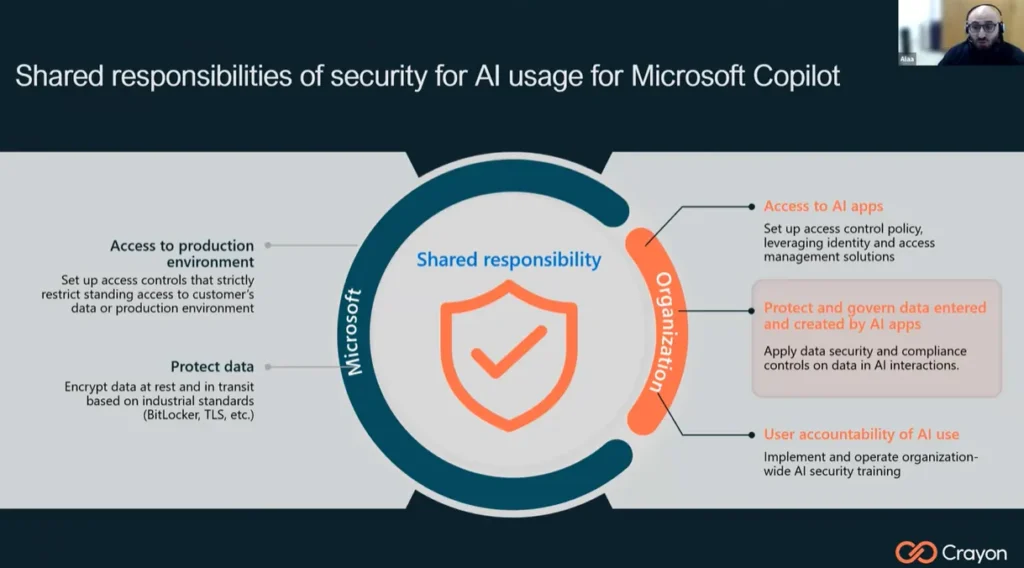
In our recent webinar, “Copilot Readiness – Practical Steps for Securing Data and Preparing for AI Adoption”, Crayon’s Alaa Rahal took partners through the foundations every business needs in place before enabling Copilot. Here are the key takeaways to help you guide your clients towards secure and successful AI adoption.
Know the Risks
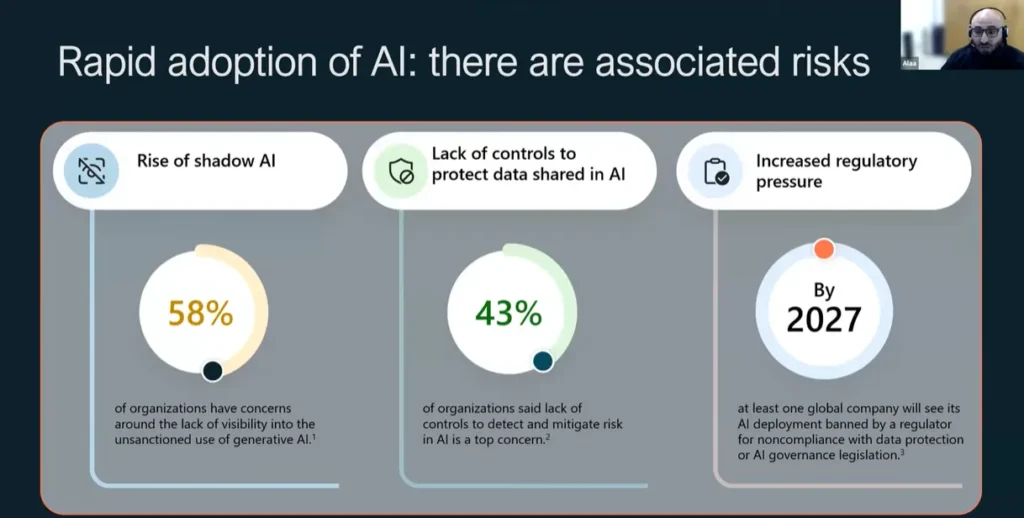
Generative AI introduces three major risk areas:
- Shadow AI – staff access to unapproved AI apps without IT visibility
- Data exposure – sensitive content pasted into AI tools outside organisational control
- Regulatory pressure – increased scrutiny around privacy, sovereignty, and responsible data handling
Hybrid work has broken traditional data boundaries and Microsoft Copilot amplifies both the opportunities and the risks. If a user can access data, Copilot generally can too, meaning poor permissions, oversharing, or unmanaged devices can directly translate into unintended data exposure.
14% of employees say they keep their AI use secret from their employers. 65% of staff using ChatGPT rely on the free tier where their company data can be used to train AI models.
The good news: Microsoft 365 Copilot inherits your existing security, compliance, and permissions. It will not bypass rules or access content a user cannot. But this also means organisations must get their environments in order first.
Step 1: Assess Copilot Readiness and Risk Tolerance
Before enabling Microsoft Copilot, determine where the organisation sits on the risk spectrum:
- Low: small organisations with simple structures and broad file access can often deploy quickly.
- Medium: requires targeted remediation, such as excluding high-risk users or tightening access to sensitive data.
- High: needs a comprehensive review of identity, devices, and data governance before deployment.
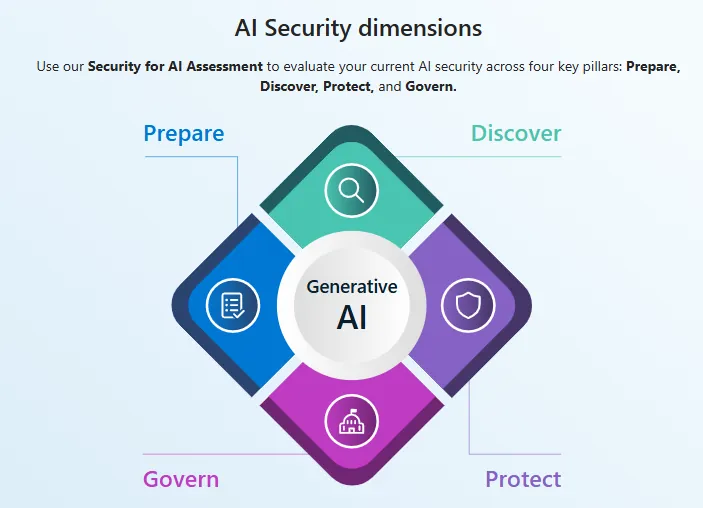
Microsoft’s Copilot Optimisation Assessment is a practical starting point. It reviews licensing, identity configuration, collaboration tools, and data governance maturity so you can prioritise remediation.
Step 2: Strengthen Identity and Access Controls
Identity security is the front door of AI readiness.
Key actions include:
- Ensuring a single Entra ID identity per user
- Enforcing multi-factor authentication as a baseline
- Applying Conditional Access policies based on location, device risk and user behaviour
- Using least-privilege and just-in-time admin access
- Conducting regular access reviews to prevent oversharing
If credentials are compromised, Copilot will reflect that access. Strong identity controls help ensure only the right people can trigger AI tools against sensitive data.
Step 3: Secure Devices and Applications
Every device that accesses Microsoft 365 becomes an AI touchpoint.
Organisations should:
- Enrol devices in Microsoft Intune for centralised management
- Ensure operating systems and Microsoft 365 apps are fully patched
- Enforce device compliance policies (encryption, antivirus, screen locks)
- Block or restrict risky personal or unmanaged devices
- Wipe corporate data from lost, stolen, or non-compliant endpoints
Intune also enables app protection policies, allowing admins to restrict copy/paste, downloads, or storage of corporate data into unmanaged apps. That becomes increasingly important as Copilot generates more content that users want to reuse elsewhere.
Step 4: Govern and Protect Data
Data is the engine powering Copilot. Ensuring it is secure, labelled, and appropriately shared is essential.
Foundational steps include:
- Classifying data based on sensitivity
- Applying sensitivity labels with automatic labelling where possible
- Reviewing overshared SharePoint and OneDrive locations
- Applying Data Loss Prevention (DLP) policies to restrict leakage
- Enforcing retention, audit and lifecycle policies
To support this, Microsoft now offers additional capabilities that accelerate safe rollout, including DSPM for AI (Data Security Posture Management), SharePoint Advanced Management, and Restricted SharePoint Search, which can temporarily limit Copilot’s search scope while you remediate risky content.
Step 5: Choose the Right Licencing
While Copilot can technically run on several baseline Microsoft 365 plans, Business Premium provides the strongest foundation, including:
- Entra ID P1 for Conditional Access and advanced identity features
- Microsoft Intune for device and application management
- Defender for Business and Defender for Office 365
- Sensitivity labels and information protection
- DLP and advanced auditing
- Defender for Cloud Apps discovery for shadow IT and AI usage

Combined, these capabilities significantly reduce risk and accelerate AI adoption, particularly for small to mid-sized organisations.
Secure Foundations Enable Better AI
Deploying Copilot is not just a licencing exercise. It is a security, governance, and data maturity program. Organisations that invest in tightening their environment now will not only unlock richer Copilot experiences but also strengthen their overall cybersecurity posture.
AI is here to stay. Ensuring your clients – and your own business – are Copilot-ready is one of the most important steps you can take in 2026.