

What Is Copilot Cowork?
Microsoft’s regular Copilot has been a useful assistant: it drafts emails, summarises Teams meetings and helps you find that document you swear you saved somewhere. But it’s still a helper – you’re still managing the workflow.
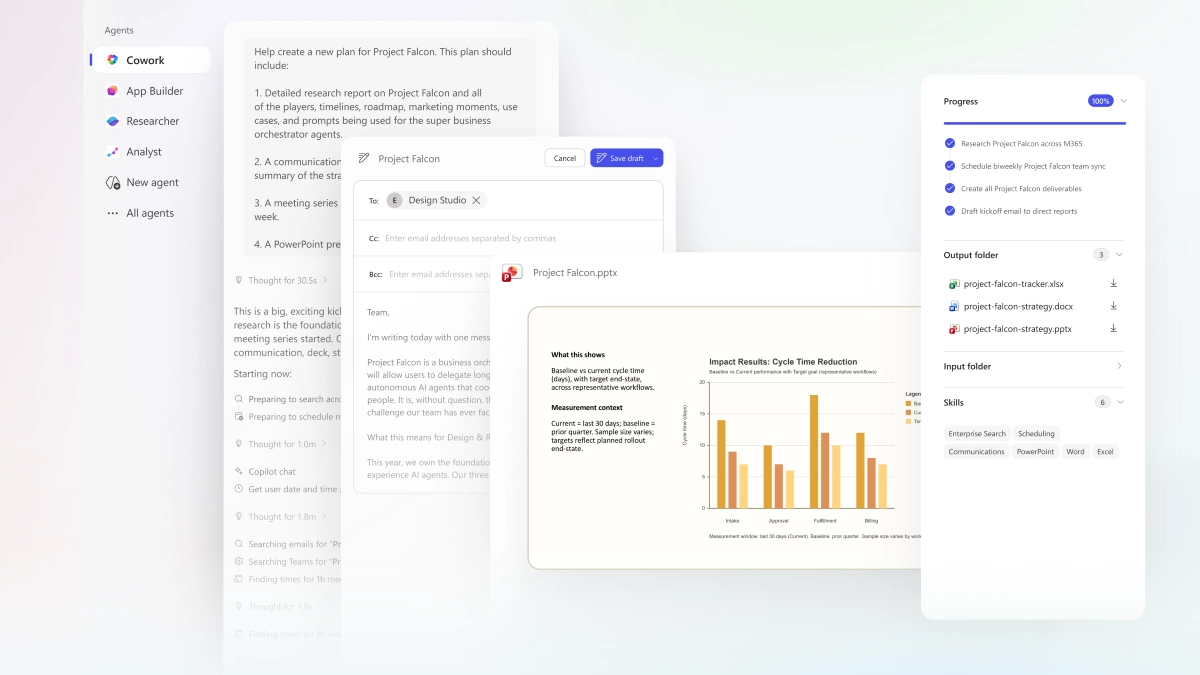
Copilot Cowork, which became generally available on 16 June after three months of preview in Frontier, changes the game. It’s not a smarter chatbot, it’s an AI agent that can take on entire projects. You define the work, hand it over, and Cowork runs it end-to-end across your company’s files, apps, and data systems, returning a completed result, not a draft. Think of it as a capable junior analyst who disappears for a few hours and comes back with the full comparison table, dependency map, and a draft recommendation… all while you got on with something else. So what are the best use cases right now? What can you stop doing?
I think we're measuring AI completely wrong.
Most people ask: "How much time did AI save?"
That's yesterday's question.
The real question is: "What work can I stop doing?"
1. Creating Your Own Daily Briefing
How much of your morning disappears just trying to figure out what your day should look like? Scanning emails, checking the calendar, hunting through Teams chats for anything urgent… it’s 45 minutes gone before you’ve done a single meaningful thing. People are now setting Cowork to run at 8am every day, analysing emails from the previous day and producing a prioritised brief: what needs a response, what’s still waiting on someone else, and what’s due soon. One MSP described tying this directly to their projects and deliverables, so the top of their brief shows upcoming deadlines alongside relevant email threads: no more missed commitments.
2. Building Expense Reports From a Stack of Receipts
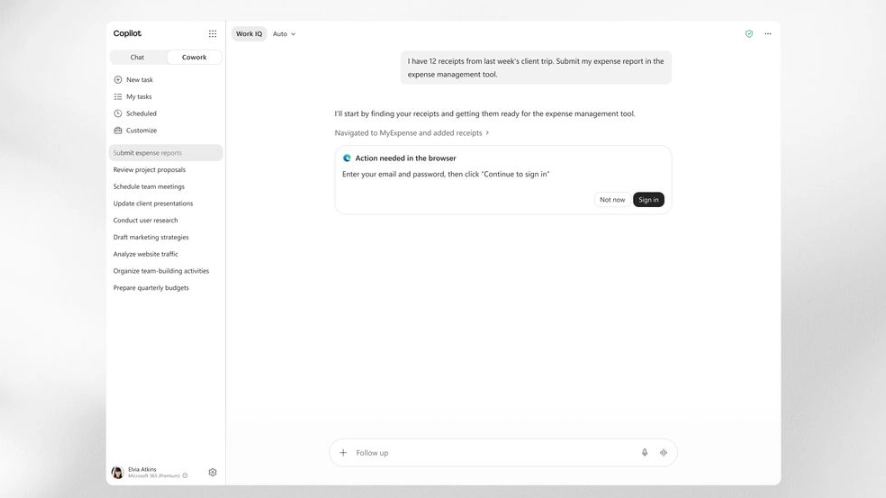
Few tasks are more tedious than expense reporting, especially when there’s a fussy Excel template involved, specific cost codes to apply, and receipt images to resize and position. One person we talked to spent half an hour explaining their manual process to Cowork, pointed it at a folder of receipt images and the template file and got back an error-free expense report on the first try.
3. Manually Producing a Weekly Project Update
No matter what you’re working on, the weekly status update means pulling from Planner, checking Teams channels, reviewing email threads and synthesising it all into something coherent. Get Cowork to generate an HTML project dashboard that updates from your data sources and then automatically sends a summary to the relevant Teams channel each week. It can include meeting highlights, important discussions and upcoming deliverables.
4. Reading Thirty Industry Blogs to Stay Current
Keeping up with fast-moving fields – whether that’s Microsoft 365 updates, cybersecurity developments or industry news – can be exhausting. Why not set up a recurring Cowork task that scans 50 relevant blogs and news sources three times per week, filters for what’s relevant and delivers a summarised digest. No more tab overload, no more guilt about the RSS feed you never read.
5. Battling with Word Heading Styles and Tables
Everyone hates this. One user in a strategy role described spending 63 minutes with Cowork to complete work they estimated would have cost $16,000 and taken 49 hours if handled by a freelancer. The outputs included professional presentations and Word reports built from data they fed in, formatted with their company’s branding, structured the way they asked. We fed Cowork screenshots of licencing data, asked it to analyse migration options and recommend a cost-reduction path, and received a polished PowerPoint ready to share with a Partner. If you use it to do anything – this is it.
6. Manually Comparing Hundreds of Documents
Remember that soul-crushing task of opening file after file, trying to track changes between product versions, contract iterations or policy documents? One Frontier tester used Cowork to compare nearly four thousand files across two product versions; work that would previously have taken weeks. You describe what you’re looking for, and Cowork returns a structured comparison.
Performed a full audit workflow, extracting invoice data from PDFs, finding agreed price rates with temporal and location based relevance in a second set of PDFs. The population testing against API data. Continues work for ~50mins, perfect result and report.
7. Manually Onboarding a New Client
The onboarding documentation drill: a technician spends half a day – sometimes a full one – manually documenting a new client’s environment. Users, groups, shared mailboxes, distribution lists, SharePoint structure, licencing assignments, external sharing settings. It’s necessary, it’s billable, and it’s almost entirely mechanical. Cowork can scan the new client’s Microsoft 365 tenant, pull that information together, and produce a structured runbook automatically.
8. Manual QBR Prep
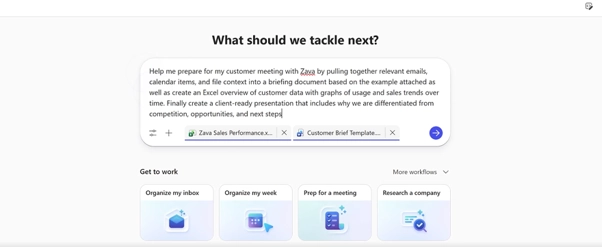
QBR meeting preparation can be a drag: researching business indicators, reviewing past conversations & tickets, overlaying relevant context so you sound like you have it together. Smart MSPs are now running Cowork tasks before QBRs that surface recent interactions, generate industry and regulatory updates, incorporate vendor announcements and tenant reporting and even draft SMB1001 certification roadmaps. What used to take a full afternoon now takes less than twenty minutes.
What tedious things should you START doing now you have Cowork:
- Audit Your OneDrive Shares
Every organisation has a potential security risk: files shared years ago with people who’ve since left, contractors who still have access and documents floating around with no clear owner. Nobody audits it because it’s boring and no one has time – until now! Have Cowork scan your entire OneDrive, produce a spreadsheet listing every shared file alongside who it’s shared with and when, then flag anything over three months old for a decision. Keep the share, remove it or delete the file. Better security, better compliance.
- Monthly Client Tenant Health Reports
For many MSPs, monthly reporting means a technician spending hours pulling data from multiple client tenants: licencing usage, inactive accounts, Secure Score changes, storage consumption, guest access anomalies… then massaging it into something presentable before emailing it out. Cowork can run this as a scheduled task across all your client tenants, compare the data against the previous period, flag anything worth a conversation such as underutilised licences, stale accounts, security regressions – and produce a branded report per client ready to review and send.
But What of the Cost?
The new usage billing is certainly generating a lot of discussion: in addition to the Copilot licence, Cowork usage is billed in Copilot Credits.
The price of each task is calculated from four inputs: model use, context retrieval, tool calls and runtime. Tasks are broadly categorised as light, medium or heavy depending on how many sources are involved, how deep the reasoning goes and how many outputs are produced estimated:
- light tasks 100 to 300 credits
- medium 400 to 700
- heavy 700 and up
Now every Cowork job has a price, so prompting efficiently is also cost control.
Pay-as-you-go is priced at $0.01 per Copilot Credit, or you can commit to a prepaid volume (P3) for a discount. To see your current usage, there’s a built-in command. In Cowork, type: “/cost” + hit enter, and it returns your estimated credit usage so far.
Cowork is off by default: admins decide when to enable it and for whom, and can set spending limits at the tenant, group, and individual user level. It’s designed to give organisations control before the bills start climbing.
When comparing the cost per prompt between Copilot Cowork and Claude Cowork with their Microsoft 365 connector, testing showed that Copilot Cowork on average was 30-40% cheaper.
The Bottom Line
Copilot Cowork is not a faster autocomplete. It’s a shift in how work gets done: from doing to delegating, from prompting for help to supervising completed results. The boring, expensive, repetitive coordination work that traps capable people for hours is exactly what Cowork is designed for.
The best place to start is with bounded, reviewable tasks – work with clear inputs, clear outputs, and a human review step. Get comfortable with that, and you’ll start to see where else you can get your time back.